
Ubi-Interactive Augmented Reality Design
Turning any physical surface—walls, conference tables, glass, or whiteboards—into an interactive multi-touch computing display using 3D depth camera sensors and computer-vision tracking.
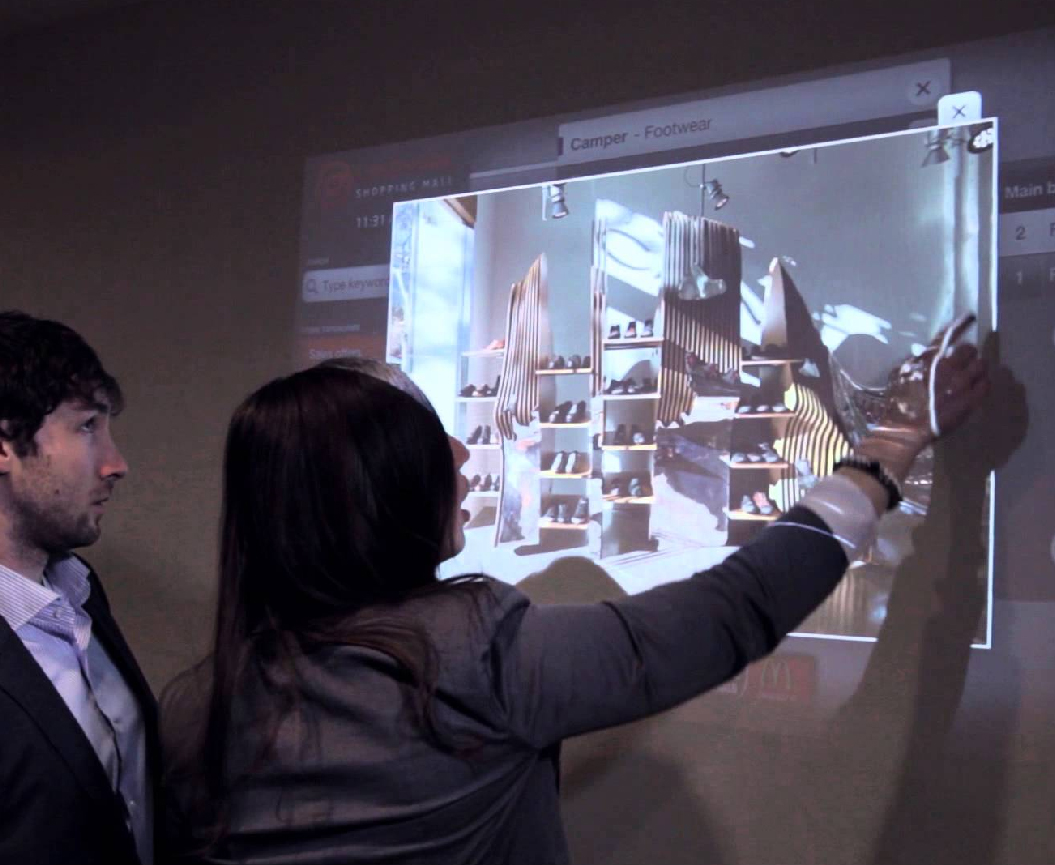
About The Project
Ubi-Interactive is an Augmented Reality software startup that turns any physical surface into an interactive touchscreen display. By pairing off-the-shelf projectors with 3D depth camera sensors (such as Microsoft Kinect), Ubi democratized large-format touchscreens for education, enterprise meetings, and collaborative workspaces without requiring expensive dedicated hardware.
User Needs & Problem Space
While early versions provided basic touch interaction (tap and drag), user research revealed key gaps in real-world workflows:
- Educators in Classrooms: Needed natural stylus writing (Ubi-Pen) alongside finger touch, plus the ability to project physical textbooks and student work live via document cameras.
- Enterprise Teams: Required shareable digital whiteboards that seamlessly connected remote offices over Skype and Google Drive.
- Diverse Physical Spaces: Demanded an adaptive setup engine that supported different room shapes, ceiling mounts, table projections, and glass partitions without tedious manual calibration.
Design Approach & Key Solutions
As UX Designer, I redesigned the Seamless Interface Software, focusing on clean ergonomics and fast, intuitive interaction:
- Floating System Annotation: A universal floating toolbar enabling notes, drawing, and highlights on top of any Windows application.
- Touchless InAir Gestures: Leveraging 3D depth tracking so users can point, click, and swipe in mid-air from a distance.
- Scenario-Based Calibration: A streamlined 6-scenario setup flow that guides non-technical users to calibrate their display in under two minutes.
Seamless Interface Design System
Core interaction models, multi-modal input tools, and hardware scenario adaptability.
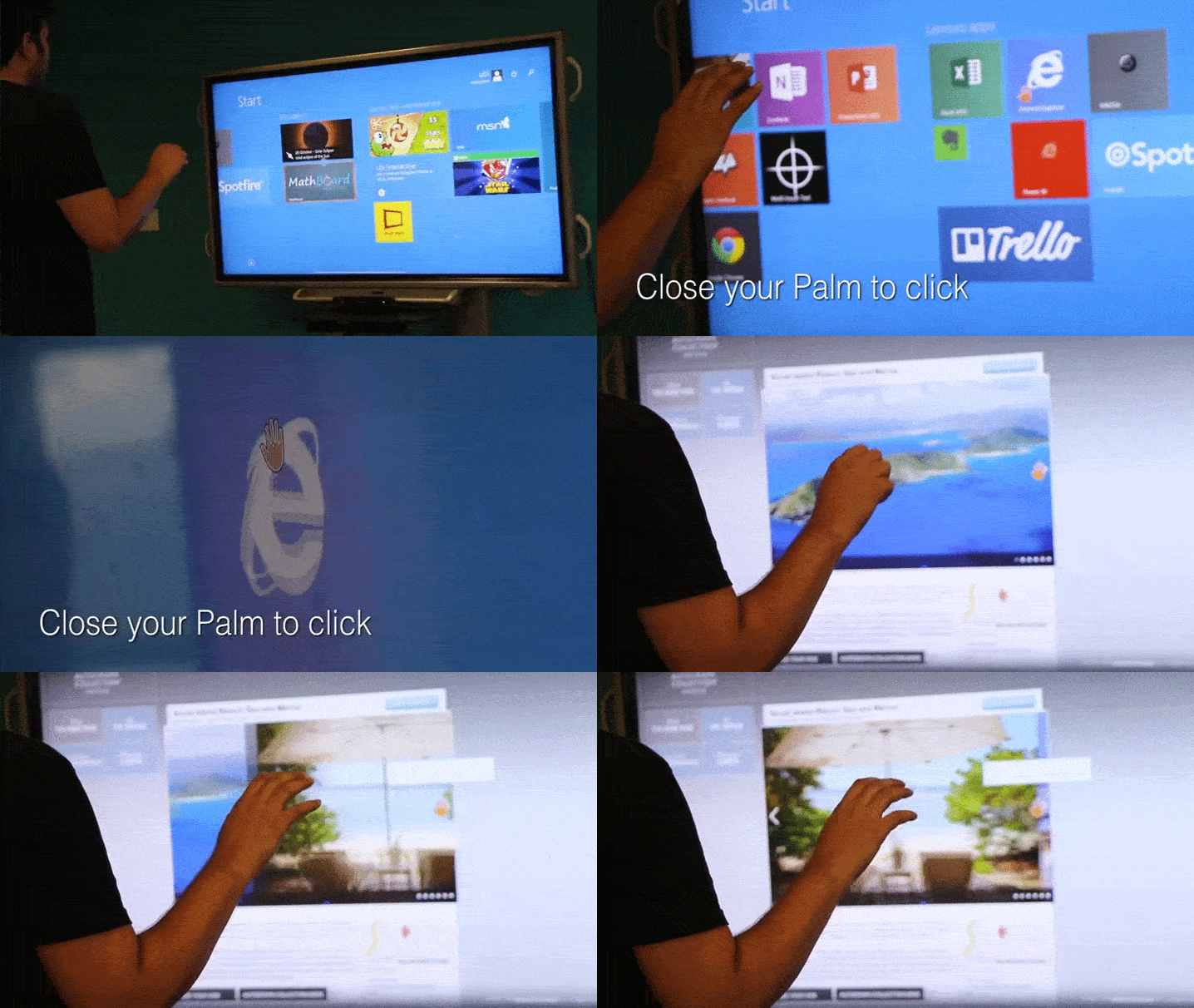
Utilizing 3D depth-sensing cameras to detect hand hover, point-and-click, and air swipes without surface contact—ideal for hygienic environments and distance presentations.
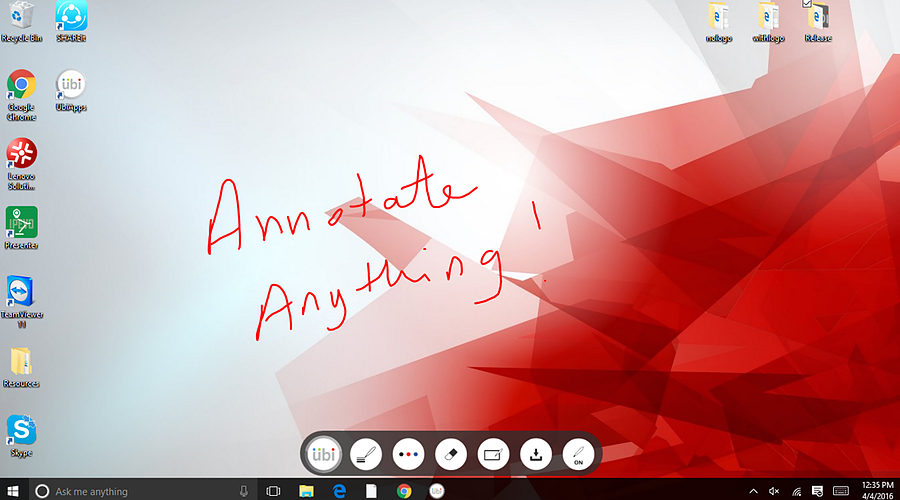
System-wide markup widget supporting multi-touch fingers and digital stylus (Ubi-Pen) with palm rejection across any Windows application.
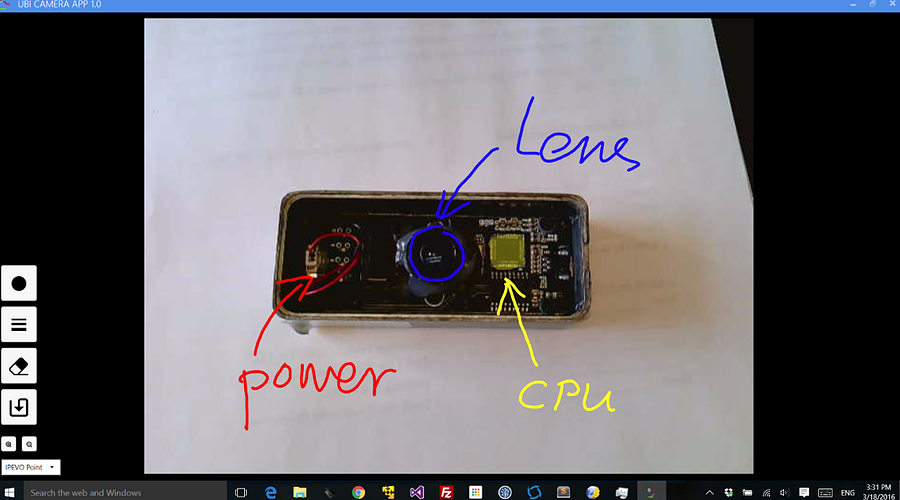
Bridging physical textbooks and student specimens with digital projection, enabling teachers to annotate over live feeds and save directly to cloud storage.
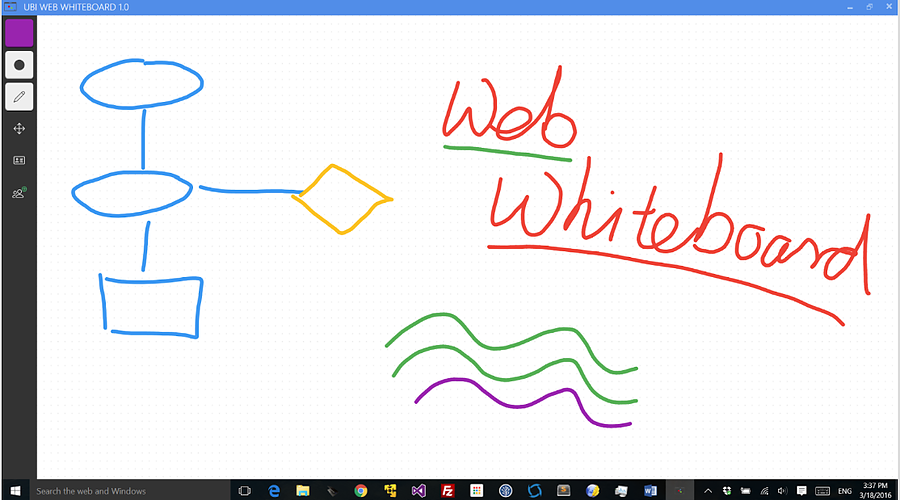
Real-time multi-PC digital canvas designed for enterprise sprint planning and remote meetings with Skype and Google Drive integration.
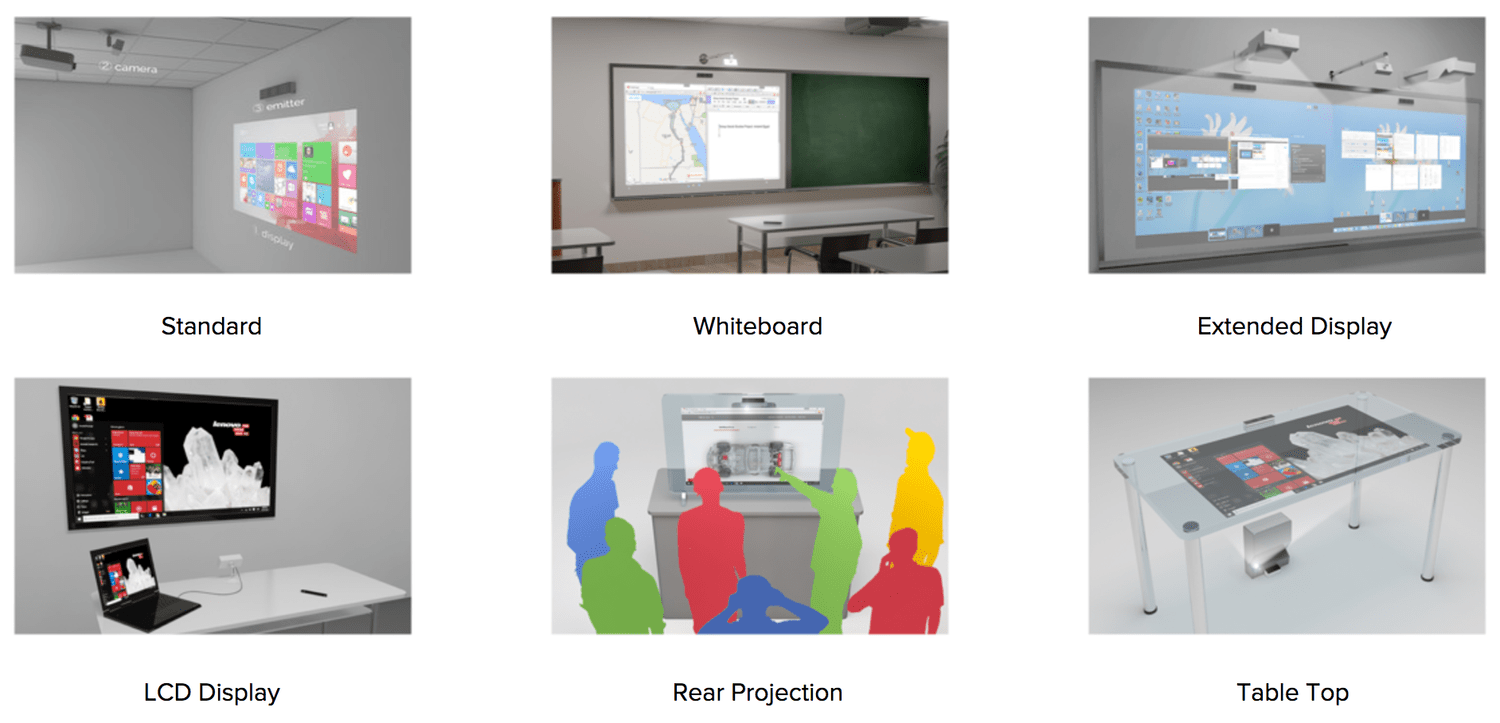
Adaptive calibration engine accommodating wall projections, downward table surfaces, ultra-short throw rigs, and conference room glass.